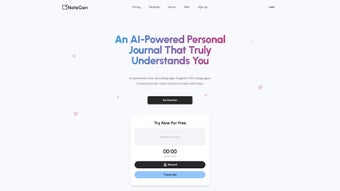

Download NoteGen – AI Voice Transcription & Writing Assistant
Overview
NoteGen is a web‑based AI writing assistant designed to turn spoken words into polished text with minimal effort. Whether you’re a busy professional needing quick meeting summaries, a content creator drafting blog posts, or a student capturing lecture notes, NoteGen lets you record live audio or upload existing audio/video files (MP3, MP4, WAV, and more) and instantly receives a clean transcription. The platform supports more than 90 languages, making it a truly global solution for anyone who prefers to speak rather than type.
In addition to raw transcription, NoteGen automatically structures notes, adds headings, and creates to‑do lists, allowing you to focus on ideas instead of formatting. A modern dashboard gives you full control: edit, tag, delete, or export your content with a few clicks, while strict access controls keep your data private and secure. By combining powerful speech‑to‑text technology with an intuitive UI, NoteGen reduces manual note‑taking time by up to 80 %, helping users stay productive across Windows, macOS, Android, and iOS browsers.
Key Features & Benefits
- Live Voice Capture: Record directly from your microphone or upload pre‑recorded audio/video files in MP3, MP4, WAV, and other common formats.
- 90+ Language Support: Transcribe English, Spanish, Mandarin, Arabic, Hindi, and many more, perfect for multinational teams.
- Intelligent Note Structuring: Automatic headings, bullet points, and to‑do lists are generated, turning raw text into ready‑to‑use documents.
- Multi‑Purpose Templates: Choose from pre‑built templates for blog posts, social media captions, scripts, call summaries, and more.
- Secure Cloud Dashboard: All transcriptions are stored in a private, encrypted workspace; only authorized users can view or edit content.
- One‑Click Editing: Inline editor lets you correct errors, add annotations, or re‑phrase sentences without leaving the platform.
- Export Options: Download transcriptions as TXT, DOCX, PDF, or copy directly to clipboard for instant sharing.
- Cross‑Platform Accessibility: Works on any modern browser, so you can use NoteGen on Windows, macOS, Android, or iOS devices.
- Free Tier & Affordable Upgrades: Start with a generous free plan; premium plans add higher upload limits and priority processing.
- Continuous AI Updates: The underlying speech‑recognition engine is regularly refined to improve accuracy and reduce latency.
Beyond the list above, NoteGen’s AI learns from your editing habits, gradually adapting its punctuation and formatting style to match your preferences. This personalization means the more you use the tool, the less time you’ll spend polishing the output. For teams, shared folders make collaboration seamless—multiple members can comment on the same transcription, assign tasks, and track revision history. Overall, NoteGen blends speed, accuracy, and flexibility, delivering a writing assistant that feels like a natural extension of your voice.
Installation, Usage, Compatibility, and Pros & Cons
Getting Started – Installation & Setup
Since NoteGen is entirely web‑based, there is no traditional software download or installation. Simply visit notegen.ai, create a free account with your email or single‑sign‑on (Google, Microsoft, Apple), and you’re ready to start transcribing. The onboarding wizard guides you through microphone permission settings, optional API key entry for advanced integrations, and a quick demo that shows how to upload a sample MP3 file. For users who prefer a native feel, progressive web app (PWA) support allows you to “install” NoteGen on your desktop or mobile device with a single click, creating an icon that opens the app in a dedicated window.
Using NoteGen – Step‑by‑Step Workflow
1. Select a mode: Choose “Live Recording” to speak directly into your device, or “Upload File” to import an existing audio/video file.
2.
Choose language: Pick from the drop‑down list of over 90 supported languages.
3. Start transcription: Click “Transcribe” and watch the real‑time text appear in the editor pane.
4. Refine & format: Use the built‑in toolbar to add headings, bold important points, or convert bullet points into a checklist.
5.
Save & export: Store the final version in your dashboard, share a secure link, or download in your preferred format.
Compatibility (itemprop="operatingSystem")
- Windows 10/11 – any modern browser (Chrome, Edge, Firefox)
- macOS 11+ – Safari, Chrome, Firefox
- Android 8.0+ – Chrome or native PWA
- iOS 13+ – Safari or native PWA
Pros and Cons
- Pros:
- Fast, accurate transcription across many languages.
- No installation required; works in any browser.
- Automatic note structuring saves editing time.
- Strong privacy controls with encrypted storage.
- Generous free tier for occasional users.
- Cons:
- Heavy reliance on internet connectivity; offline use limited to PWA cache.
- Premium plans needed for large‑file uploads (>500 MB).
- Advanced formatting (tables, complex layouts) requires manual adjustment.
Overall, NoteGen delivers a smooth, secure, and highly functional AI transcription experience that fits both casual users and professional teams. Its ease of use and multilingual support set it apart from many competitors, while the few limitations are outweighed by the productivity gains.
FAQ & Conclusion – Why Download NoteGen Today?
Is NoteGen really free to use?
Yes, NoteGen offers a free tier that includes up to 30 minutes of transcription per month, access to all 90+ languages, and basic note‑structuring features. Premium plans unlock higher limits and additional collaboration tools.
How secure is my data on NoteGen?
All transcriptions are stored in encrypted cloud storage and are only accessible to accounts you authorize. NoteGen complies with GDPR and CCPA standards, ensuring your voice data remains private.
Can I use NoteGen on my mobile device?
Absolutely. The responsive web interface works on Android and iOS browsers, and you can install it as a Progressive Web App for a native‑like experience.
What file formats are supported for upload?
NoteGen accepts the most common audio and video formats, including MP3, WAV, MP4, AVI, and M4A. Larger files may require a premium subscription.
Does NoteGen integrate with other productivity tools?
Yes, you can export transcriptions directly to Google Docs, Microsoft Word, or send them via email. Future updates will add Zapier and API integrations for deeper workflow automation.
In a world where time is the most valuable commodity, a reliable AI transcription and writing assistant can make a decisive difference. NoteGen not only captures your spoken thoughts with impressive accuracy, but it also formats, organizes, and secures them—all within a single, easy‑to‑use web app. Whether you need quick meeting minutes, a polished blog draft, or a multilingual script, NoteGen provides the tools to turn voice into high‑quality text without the usual hassle.
Ready to experience a faster, smarter way to write? Download NoteGen now and start converting your voice into actionable content instantly. The free plan gets you started right away, and with premium options available, you can scale the solution as your needs grow. Embrace the future of note‑taking—let your voice do the typing.






